
If you're using Devopsbee Cloud, the Devopsbee team handles all updates so you cannot downgrade the version of Devopsbee. If you are facing any issues, please contact support.
For those who self-host Devopsbee, you can easily downgrade to the previous version. Follow the steps below to perform a downgrade on to a previous version.
- Always back up your Devopsbee data before performing an downgrade.
- Downgrading can introduce issues that can be difficult to fix.
The Downgrade process involves the following three steps:
1. Disable Auto Update
Before downgrading, it's important to disable the Auto Update feature to prevent Devopsbee from automatically upgrading again after you perform the downgrade.
Log in as the root user (or any user who has access to the root or initial team).
Navigate to the Settings menu in your Devopsbee dashboard.
In the Settings menu, disable the Auto Update feature.
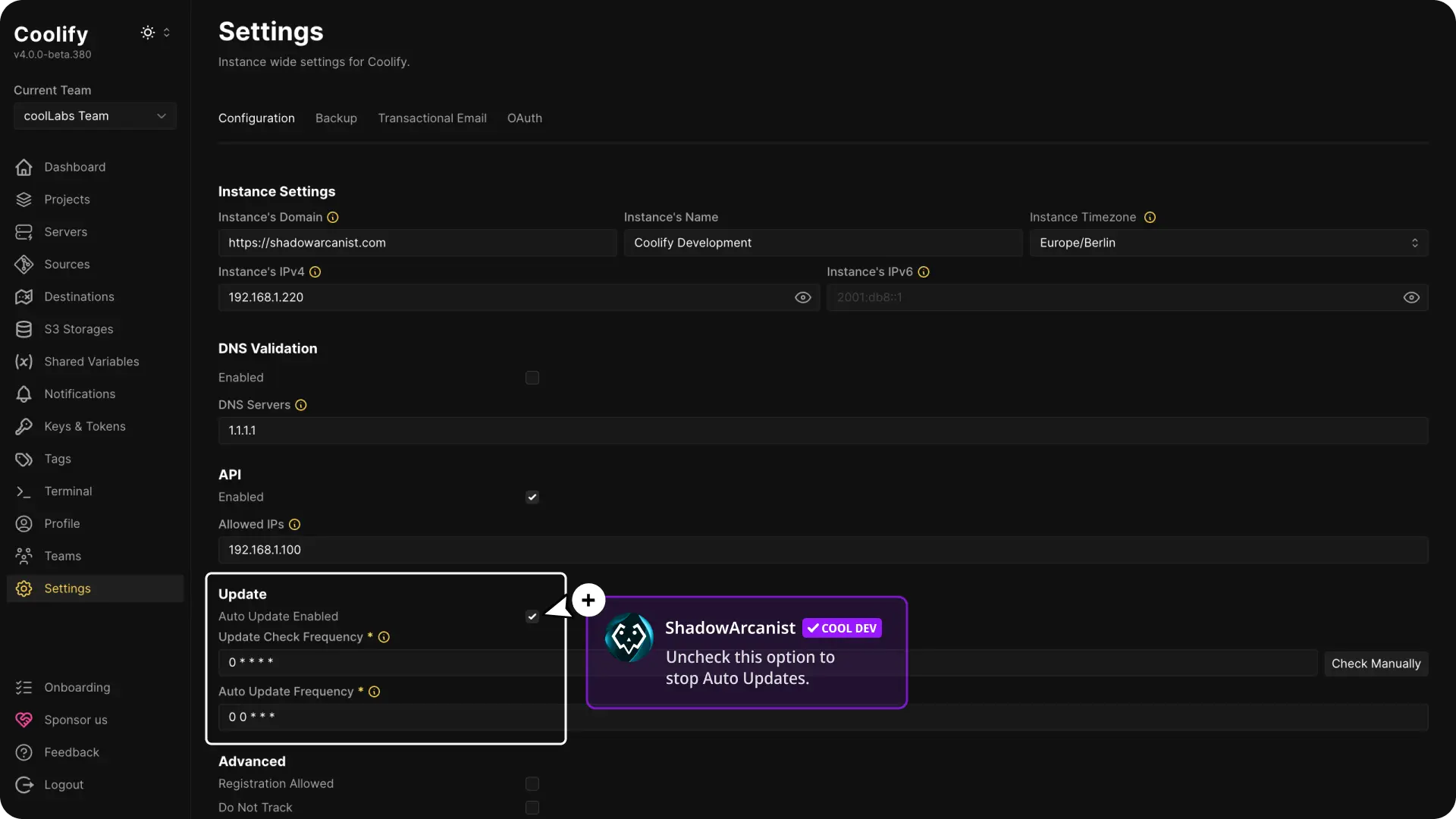
Disabling auto-update is essential, as it ensures that Devopsbee doesn’t override your downgrade with a newer version.
2. Login to Your Server via SSH
Next, you need to SSH into your server to execute the downgrade command.
3. Execute the Downgrade Command
To downgrade Devopsbee to the desired version, run the following command in your terminal:
curl -fsSL https://cdn.coollabs.io/coolify/install.sh | bash -s 4.0.0-beta.369Replace 4.0.0-beta.369 with the version number you want to downgrade to.
For example, you can downgrade to 4.0.0-beta.333 or any previous version.
Double-check the version number you are specifying to ensure you are downgrading to the correct version. You can check the Devopsbee release notes for version details.
Potential Issues with Downgrading
While downgrading is possible, be aware of the following risks:
Database Schema Compatibility:
Downgrading can cause issues since the database schema may not be backward compatible. Some features may not work as expected due to changes in the database structure between versions.
Feature Incompatibility:
Some features might not function properly after downgrading, as certain features in the newer version may rely on changes that are not present in the older version.